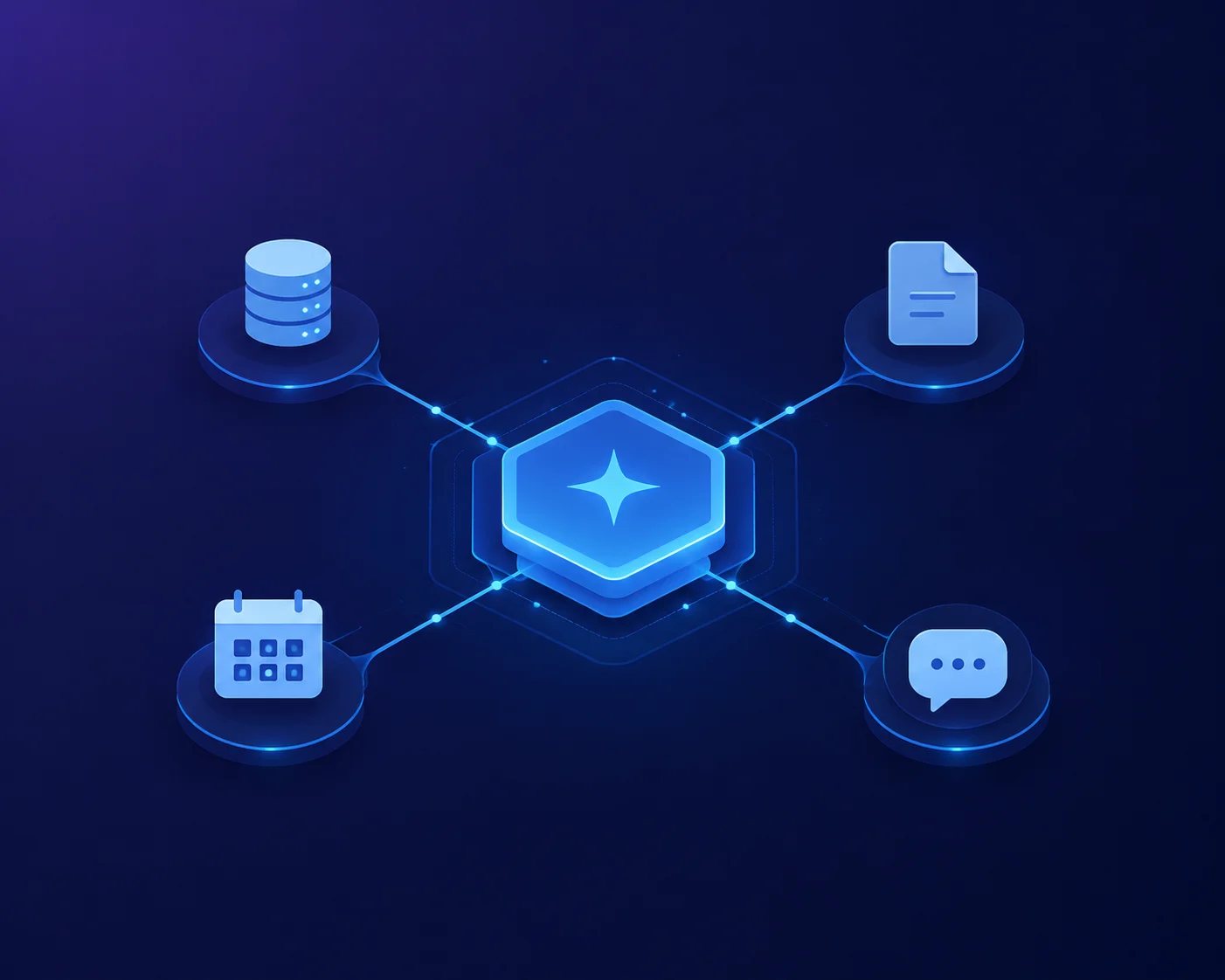
Model Context Protocol (MCP) is an open standard that allows AI assistants to securely communicate with external applications, databases, APIs, and software tools. Instead of creating a separate integration for every AI model and every application, developers can build one MCP server that works with any AI assistant supporting the protocol.
In simple words, MCP acts like a universal bridge between AI models and the digital tools they need to complete real-world tasks.
What Is Model Context Protocol (MCP)?
Model Context Protocol (MCP) is an open communication protocol that enables AI models to connect with external data sources, applications, and tools through a standardized interface.
Rather than giving an AI permanent access to your systems, MCP provides information only when the AI requests it. This approach keeps interactions organized, secure, and efficient.
Think of MCP as the equivalent of USB-C for AI applications.
Just as one USB-C cable connects many different devices, one MCP implementation lets AI assistants communicate with countless external services without requiring custom code for each integration.
With MCP, developers can connect AI to:
- Local files
- Cloud storage
- Databases
- Business software
- APIs
- Development tools
- Knowledge bases
- Productivity applications
Why Is Model Context Protocol Needed?
Modern AI models perform well when answering general questions. However, they cannot automatically access real-time business data, private documents, or external software.
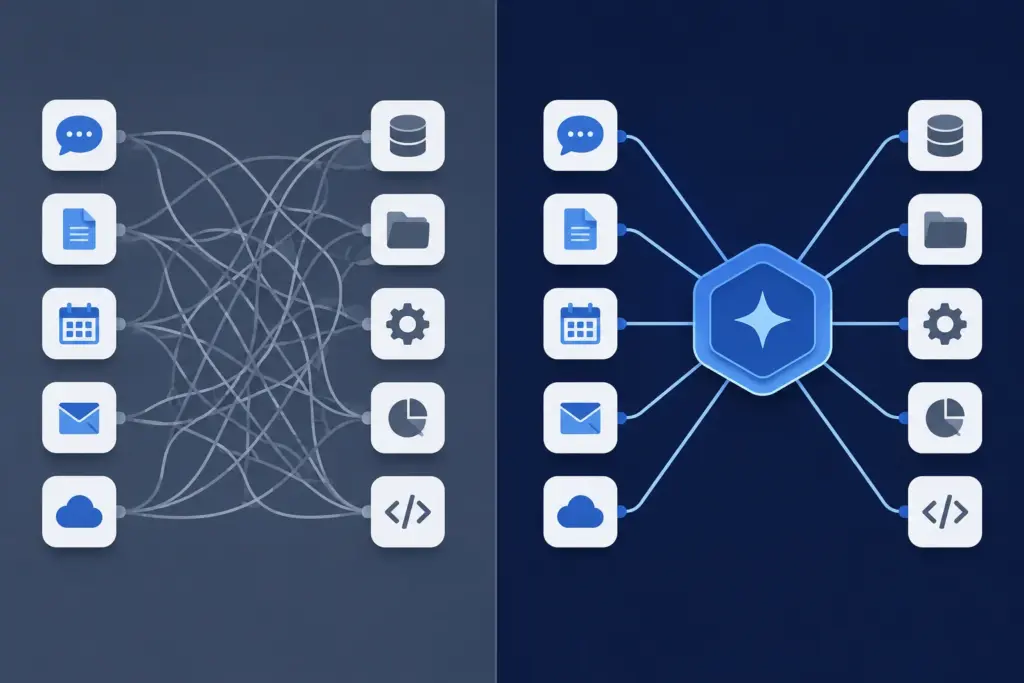
Without MCP, developers must build separate integrations for every AI model and every application.
For example:
- AI Model A → CRM Integration
- AI Model A → Database Integration
- AI Model A → Email Integration
- AI Model B → CRM Integration
- AI Model B → Database Integration
- AI Model B → Email Integration
As the number of AI models and software tools grows, this approach becomes difficult to maintain.
Model Context Protocol solves this problem by introducing one universal communication standard.
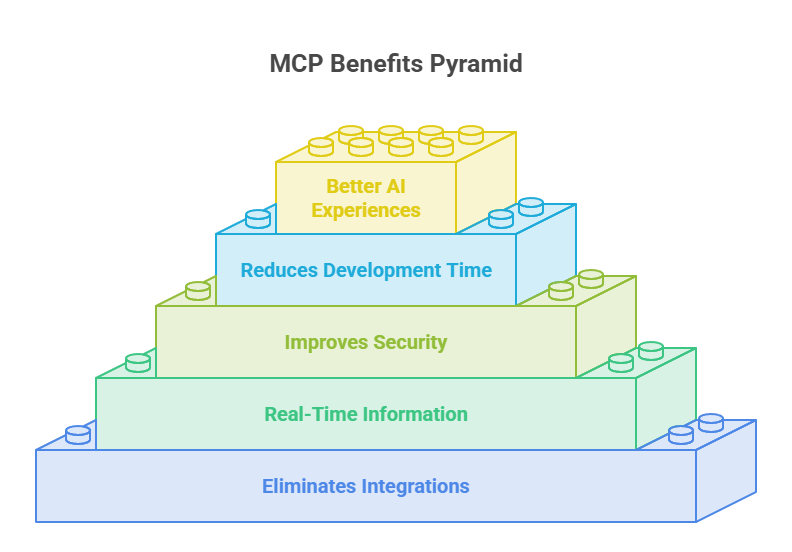
MCP solves several major problems:
1. Eliminates Custom Integrations
Developers no longer need to write different code for every AI platform.
One MCP server can support multiple AI assistants.
2. Provides Real-Time Information
AI models often rely on training data that may be months or years old.
MCP allows AI to retrieve the latest information directly from connected systems whenever needed.
3. Improves Security
Organizations maintain control over their data.
Instead of sharing complete databases with an AI, they expose only approved resources through the MCP server.
4. Reduces Development Time
Teams can connect new applications much faster because they follow one common protocol instead of building custom integrations repeatedly.
5. Creates Better AI Experiences
Users receive more accurate, personalized, and up-to-date responses because the AI works with live information instead of outdated knowledge.
How Model Context Protocol Works

MCP follows a simple request-and-response workflow.

The AI does not search your computer on its own. Instead, it asks the MCP server for the information or tool it needs.

A typical workflow looks like this:

Step 1: User Sends a Request

The user asks the AI a question or requests an action.

Example:

"Summarize the latest sales report."

Step 2: AI Understands the Request

The AI recognizes that it needs access to an external sales report before it can answer accurately.

Step 3: AI Sends an MCP Request

Instead of guessing, the AI sends a structured request to the MCP server asking for the required resource.

Step 4: MCP Server Retrieves the Data

The MCP server securely accesses the connected system, such as:

Database
Cloud storage
Internal documentation
Business application
API
Step 5: Structured Data Returns

The server sends only the requested information back to the AI in a structured format.

Step 6: AI Generates the Final Response

The AI combines its reasoning ability with the retrieved information to produce an accurate and relevant answer.

This process usually happens within seconds, creating a seamless experience for the user.
Types of Data Provided Through MCP
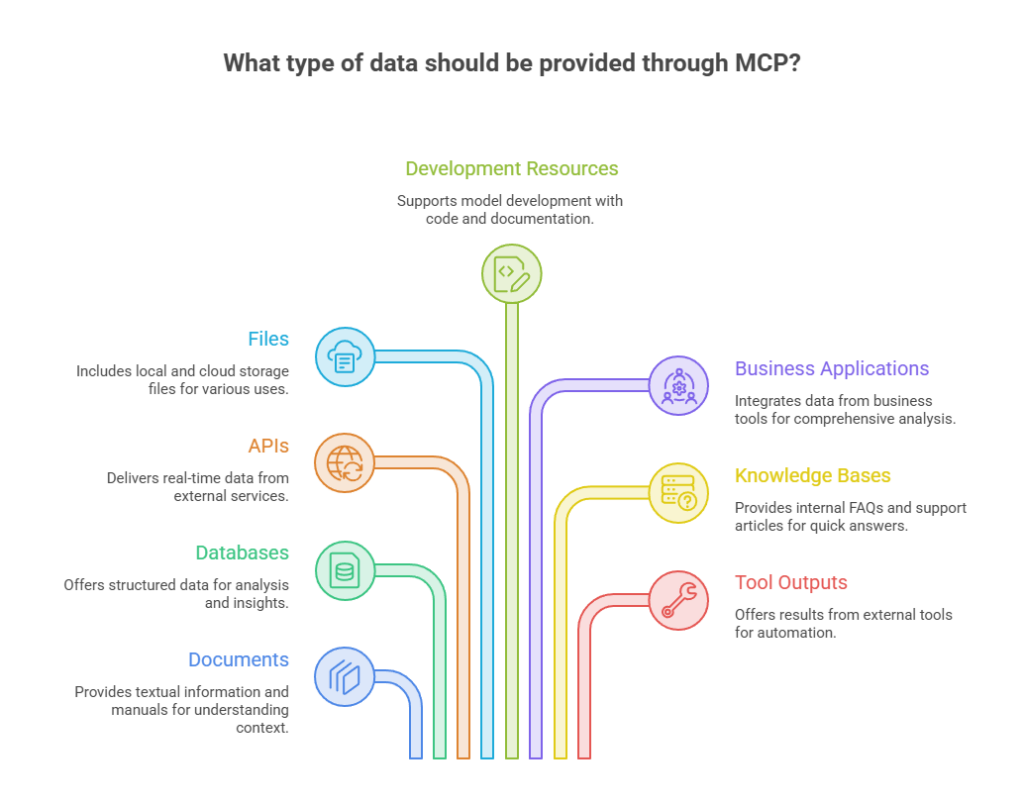
Model Context Protocol (MCP) can provide different types of data and resources to AI models, including:
- Documents – PDFs, Word files, text documents, manuals, and knowledge base articles.
- Databases – Customer records, sales data, inventory, and other structured information.
- APIs – Real-time data from external services like weather, payments, maps, and news.
- Files – Local and cloud storage files, including spreadsheets, presentations, and images.
- Development Resources – Source code, Git repositories, build logs, and project documentation.
- Business Applications – Data from CRM, ERP, HR, accounting, and project management tools.
- Knowledge Bases – Internal FAQs, support articles, training materials, and company documentation.
- Tool Outputs – Results from external tools, workflows, scripts, database queries, and automations.
If you’ve spent any time near AI development in the last year and a half, you’ve probably run into the term Model Context Protocol, or MCP. It shows up in Claude’s settings, in Cursor’s config files, in ChatGPT’s “apps” menu, and in a growing pile of GitHub repos with names like mcp-server-something. The name sounds bureaucratic. The idea behind it isn’t.
In plain terms: MCP is a standard way for an AI model to talk to the tools, files, and services outside of it. Before MCP existed, every company that wanted their AI assistant to check a calendar, query a database, or send a Slack message had to build a custom integration for it — and then build it again for the next AI product, and again for the one after that. MCP was designed to end that cycle.
Anthropic released MCP in November 2024. By the end of 2025, it had been handed over to the Linux Foundation’s new Agentic AI Foundation, turning it from “Anthropic’s protocol” into a vendor-neutral standard with OpenAI, Google DeepMind, and Microsoft all building on top of it. This guide walks through what MCP actually is, how it works under the hood, where it’s headed in 2026, and — unlike most explainers — how to actually build something with it.
The Problem MCP Was Built to Solve
Large language models have a hard boundary: whatever they know, they learned during training. Ask one about a file on your laptop, a row in your production database, or today’s weather, and it has nothing to offer unless something feeds it that information at the moment you ask.
The tool-calling features that showed up in APIs from OpenAI, Anthropic, and others solved part of this. A model could be told “here’s a function you can call,” and it would call it. But the implementation was left entirely up to the developer. If you wanted your AI assistant to talk to fifteen different services, you wrote fifteen different integrations, each with its own auth pattern, its own error handling, its own quirks. Now imagine three AI applications wanting to use those same fifteen services. You’re suddenly maintaining 45 bespoke connections.
That’s the M×N problem — M applications, N tools, and a combinatorial mess connecting them. MCP flattens it into M+N: a tool builder writes one MCP server, and any MCP-compatible application can use it without custom glue code.
How MCP Works: Hosts, Clients, Servers
The host is the application the person is actually using — Claude Desktop, an IDE like Cursor or VS Code, or a custom agent. The host is what decides which servers to connect to and manages permissions.
The client lives inside the host and handles one connection to one server. If a host is talking to three different MCP servers, it’s running three clients, each keeping its own isolated session.
The server is the thing exposing capabilities — read access to a codebase, a connection to a CRM, the ability to run SQL queries, whatever the builder wants to expose. Servers can run locally on your machine or remotely as a hosted service.
A typical exchange looks like this: you ask your AI assistant to “summarize open tickets assigned to me.” The host recognizes it needs data it doesn’t have, so the client sends a request over the MCP connection to a server that’s wired into your ticketing system. The server queries the actual ticketing API, formats the result, and sends it back. The model never touches your credentials directly — the server does the actual work and hands back only what’s needed.
What a Server Can Actually Expose
MCP servers can offer three kinds of capabilities:
| Capability | What it is | Who decides when it’s used | Example |
|---|---|---|---|
| Tools | Functions the model can call to take action | The model, usually with user confirmation | Send an email, run a query, create a ticket |
| Resources | Data the host can read and hand to the model as context | The application or user | A file’s contents, a database schema, a document |
| Prompts | Pre-written templates for common tasks | The user, selected explicitly | A “summarize this PR” template with placeholders |
# server.py
from mcp.server.fastmcp import FastMCP
from datetime import datetime
from zoneinfo import ZoneInfo

mcp = FastMCP("time-server")

@mcp.tool()
def get_current_time(timezone: str = "UTC") -> str:
    """Return the current time in the given IANA timezone, e.g. 'America/New_York'."""
    try:
        now = datetime.now(ZoneInfo(timezone))
        return now.strftime("%Y-%m-%d %H:%M:%S %Z")
    except Exception as e:
        return f"Couldn't resolve timezone '{timezone}': {e}"

if __name__ == "__main__":
    mcp.run(transport="stdio")
pip install mcp
python server.py{
"mcpServers": {
"time-server": {
"command": "python",
"args": ["/full/path/to/server.py"]
}
}
}Restart Claude Desktop, and you’ll see the tool available. Ask “what time is it in Tokyo?” and the model will call get_current_time, Get back a real answer and use it in its response — no training data guesswork involved.
That’s the entire loop: define a function, decorate it, point a host at it. Everything else in MCP — transports, auth, sessions — exists to make that loop work reliably at scale.
The Transport Layer
Underneath the tools and resources, MCP messages are just JSON-RPC 2.0 — a lightweight, well-established format for structured requests and responses. Two transports matter in practice:
- stdio: the client launches the server as a local subprocess and talks over standard input/output. Simple, fast, no network exposure — the right choice for local tools like the example above.
- Streamable HTTP is used for remote servers, where a client connects over the network, potentially to a server shared by many users.
The protocol has moved fast on this front. The November 2025 spec introduced structured tool outputs and tightened OAuth-based authorization. A release candidate for July 2026 goes further, removing the stateful session handshake entirely so that MCP servers can run behind a plain round-robin load balancer instead of needing sticky sessions — a real barrier for anyone trying to run MCP at production scale. Alongside that, a Tasks extension replaces MCP’s old assumption that every call finishes quickly: long-running jobs now return a task handle immediately, and the client checks in on progress rather than blocking.
Security: What Actually Goes Wrong
MCP’s design leans on a few consistent principles: explicit user consent before a tool runs, scoped access rather than blanket permissions, and sandboxing for anything running locally. In practice, the failure modes people actually hit are more specific:
- Token pass-through: a server forwards a user’s access token to a downstream API without validating it’s meant for that API, letting a compromised server misuse credentials elsewhere.
- Confused deputy attacks: a malicious actor tricks a trusted proxy server into performing an action on their behalf using someone else’s authorization.
- Session hijacking: predictable or leaked session identifiers let an attacker piggyback on someone else’s connection.
- Malicious discovery URLs: a server pointing OAuth metadata discovery at an attacker-controlled endpoint, opening the door to SSRF.
None of these are theoretical — they mirror well-known web security issues, just showing up in a newer wrapper. The practical checklist: validate that any token you accept is actually scoped for you (audience-bound), keep permissions as narrow as the task requires, and don’t run untrusted local servers without sandboxing them.
MCP vs. the Alternatives
MCP isn’t the only way to connect a model to the outside world, and it’s worth being honest about where it fits.
| MCP | Raw function calling | Framework tool abstractions (e.g. LangChain) | OpenAPI-based plugins | |
|---|---|---|---|---|
| Standardized across AI apps | Yes | No — vendor-specific | No — framework-specific | Partially |
| Reusable without rewriting | Yes, write once | No | Limited to that framework | Yes, but heavier setup |
| Built-in auth model | Yes (OAuth 2.1-based) | No, DIY | No, DIY | Yes, via OpenAPI security schemes |
| Ecosystem size (2026) | Tens of thousands of servers | N/A | Large but framework-locked | Smaller, declining in favor of MCP |
Function calling is still what happens under the hood when a model decides to use a tool — MCP doesn’t replace that mechanism; it standardizes how the tool gets registered and how the data gets there in the first place. If you’re building a single app with a handful of tools, raw function calling is still simpler. If you’re building something meant to be reused across multiple AI clients, MCP is the harder-to-justify-skipping option.
Where MCP Stands in 2026
The numbers are hard to ignore at this point: the official SDKs see on the order of 97 million monthly downloads, and server registries like Glama and MCP.so each index tens of thousands of servers, up from roughly a hundred at launch in late 2024. Claude, ChatGPT (under the name “apps”), Cursor, Windsurf, VS Code, and JetBrains all support it natively now.
The governance side matured too. Development now runs through open Working Groups and a formal Spec Enhancement Proposal (SEP) process, the same kind of structure that governs long-lived web standards. The 2026 roadmap prioritizes four things: transport scalability, agent-to-agent communication, governance maturity, and enterprise readiness — with most enterprise-specific work landing as optional extensions rather than bloating the core spec for everyone else.
What MCP Still Doesn’t Solve
It’s worth being upfront about the gaps, because a protocol this young still has them:
- Multi-tenant isolation isn’t standardized — SaaS providers building shared MCP servers have to solve tenant separation themselves.
- Rate limiting and cost attribution aren’t addressed at the protocol level, which matters once agents start calling tools autonomously and someone has to pay the bill.
- Configuration portability doesn’t exist yet — set up a server in one client, and you’re starting from scratch in the next.
- Gateway and proxy behavior is undefined for enterprises running MCP behind load balancers or security proxies, particularly around how authorization should propagate.
These aren’t reasons to avoid MCP. They’re reasons to know what you’re signing up for if you’re deploying it at scale today rather than experimenting with it locally.
Frequently Asked Questions
Is MCP only for Claude?
No. Anthropic created it, but it’s now an open, vendor-neutral standard under the Linux Foundation. OpenAI, Google DeepMind, Microsoft, and most major AI tooling companies support it.
Is MCP the same thing as function calling?
No. Function calling is the mechanism a model uses to invoke a tool during a conversation. MCP standardizes how that tool gets discovered, connected to, and authorized in the first place — it sits a layer below function calling, not in place of it.
Do I need to understand JSON-RPC to use MCP?
Not to use an existing server, no. To build one, you’ll be working through an SDK (Python, TypeScript, and others exist) that hides the JSON-RPC details almost entirely, as the code example above shows.
Is MCP secure enough for production?
It can be, but security isn’t automatic. The protocol provides the scaffolding — OAuth-based auth, scoped permissions, sandboxing conventions — but a poorly built server can still leak tokens or over-permission itself, same as any API.
What’s the actual difference between a tool and a resource?
A tool performs an action and can have side effects — sending a message, writing a file. A resource is read-only data that the model can pull in as context, like the contents of a document. Prompts are a third category: reusable templates a user picks explicitly.